July 19, 2026
AI visibility scores you can trust round over round
Scoring is now deterministic and every round waits for full model coverage — so when your score moves, it's because the AI answers actually changed.
Your AI visibility score is supposed to measure one thing: how the AI engines talk about your brand. Before today, some of its movement came from us, not them — the same answer could be graded slightly differently between rounds, and when one model's data feed hiccuped, that model silently dropped out of the average and reshaped the score. We rebuilt the pipeline so neither happens anymore.
Scoring is now fully deterministic: the same AI answer always receives the same score, so a two-point move means the answers moved, not the grader. Rounds now wait for every model before finalizing — if a data source stumbles, we retry it and hold the round open until the picture is complete instead of averaging over a hole. And your tracked prompts are locked once a set has history, so every round measures the same queries against the same bar.
Where a round genuinely couldn't get full coverage, we say so instead of hiding it: rounds now carry Preview and Partial badges in the score chart, and tooltips show each round's exact time. One note on history — rounds from before this upgrade may show partial model coverage, so a small one-time shift in your score can appear as full coverage kicks in. Compare full rounds to full rounds; from here forward, the trend line is the market talking.
July 4, 2026
The agent learns your brand's look
Magister now sources your real logos, fonts, and colors — and generates images that actually look like your brand.
Magister now understands what your brand looks like, not just what it says. During the audit it pulls your visual identity — logos, fonts, and colors — from your site and brand sources, and seeds that into the agent's memory alongside your voice and audience.
The payoff shows up in the work. When the agent generates images, it draws on your real styleguide instead of a generic guess, so what it produces looks like it belongs to you. Cited-source tables now show real brand logos, which makes competitive and citation research far easier to scan.
Competitor research got richer for the same reason. When Magister discovers competitors, it now enriches each one with a brand profile, so a competitive gap isn't just a name — it's a company you can actually recognize and reason about.
July 3, 2026
Analytics: custom ranges and comparisons
Pick any date range, compare it to the prior period or a custom baseline, and read every KPI in context.
Analytics stopped being a fixed snapshot. A new calendar picker lets you choose any date range — with presets in the sidebar for the common ones — instead of being locked to the last 7 or 30 days.
Every range can be compared. By default you see period-over-period, so each metric carries its own change versus the previous stretch of the same length. And a new "Compare to" control lets you set a custom baseline — measure a launch week against the month before it, or this quarter against the same quarter last year.
The numbers explain themselves, too. KPI tiles now carry hover hints describing what each metric means and how it's calculated, so you don't have to remember whether a figure is a rate, a count, or a total to read it correctly.
July 2, 2026
Customer.io integration
Connect Customer.io and let the agent track events and trigger messaging campaigns.
Magister now connects to Customer.io. Once you connect your account, the agent can send track events and work with your messaging campaigns directly, so lifecycle messaging becomes part of what it can execute — not just advise on.
The connection is region-aware and fails closed: it only talks to the account you connected, and refuses rather than guesses if something isn't set up. Like every integration, the credential lives server-side and never touches the agent's machine.
July 1, 2026
AI Search: competitive gaps and sharper scoring
See where AI assistants cite your competitors instead of you — and what to publish to close the gap.
The AI-visibility panel went from a score to a playbook. It already showed how often assistants like ChatGPT mention your brand; now it shows how you stack up against specific competitors, model by model, as a share of voice — so you can see exactly who is winning the answer and where.
Scoring got more nuanced too. Instead of a blunt mentioned-or-not, citations are now weighted by how prominently and favorably each model talks about you, and every prompt carries a tooltip explaining the answer style that produced its score. Each query still runs in a fresh, isolated session, so a score reflects how a cold assistant actually answers — not a primed one.
The panel now closes the loop: competitive gaps come with recommendations tied to your most-cited sources, so you know which pages to strengthen. And everything is exportable — per-prompt scores, most-cited sources, and citation opportunities all download as CSV for your own analysis.
June 30, 2026
Connect AI — use Magister from Claude and ChatGPT
Bring Magister's marketing tools into the AI assistant you already use, over MCP — no new app to learn.
Magister now works as a connector. Instead of coming to Magister, you can bring Magister's tools into Claude, ChatGPT, or any assistant that speaks MCP — and ask for keyword research, competitor analysis, content drafts, or publishing right where you already work.
Setup is a single connection. Once you connect, the tools show up in your assistant and stay in sync as we add more — no reinstalling, no config files. The same permission model applies as always: read and draft happen freely, while anything that spends money or publishes live requires your explicit consent.
There's a dedicated Connect tier for teams that want the tools without the full agent, plus annual billing across every plan. If you already have an account, you can connect from the app header; if you're starting fresh, you can sign up straight from Claude Code or Codex.
June 26, 2026
MCP launched
Connect Magister to external AI clients, run the free audit from the dashboard, and start new projects with better brand context.
Magister's MCP server is live. That means external AI clients can connect to Magister and work with your marketing context, integrations, analytics, content tools, keyword research, and social data instead of starting from an empty chat window.
Magister Connect is now a real product surface, with its own pricing tier and public route. The goal is simple: let the AI tools you already use call into Magister as the marketing operating layer.
The free audit also moved into the dashboard. New users can start without a checkout step, see the audit inside the product, and continue into a richer first dashboard with detected brand details, better integration account selection, and a cleaner path into creator discovery and outreach.
June 23, 2026
Faster starts for serious work
New projects can get to a real plan faster, agents can start from warm machines, and the foundation for external AI clients is now in place.
Starting a project now gets you to the useful part faster. Magister can build a full marketing plan from scratch through the new Create plan path, show progress while it works, and backfill the same experience for existing users.
We also added warm starts for agent machines. Instead of waiting for every project to provision from zero, Magister can claim pre-warmed capacity and move more quickly into the audit, plan, or chat flow.
Under the hood, this is also when the MCP foundation landed. That work gives external AI clients a proper way to connect to Magister with real project context, setting up the public launch that follows.
June 18, 2026
Smoother team onboarding
Signup, waitlist, and team invites now catch bad emails earlier and make it easier for invited teammates to get in.
Team onboarding is less brittle now. Invite emails are checked before they go out, signup and waitlist forms catch more address problems at the start, and we added tooling to clean up older waitlist entries in bulk.
That matters because a bad email should not turn into a stuck invite, a confused teammate, or a manual support thread days later. Magister now handles more of that at the front door.
Invited teammates also have a cleaner path into the product. If someone is invited to a team, they can create an account and join without needing a separate waitlist approval, and project access is more consistent once they arrive.
June 14, 2026
Analytics, social, and creative assets
Analytics are easier to share, social and paid ads coverage is broader, and generated media now has a real place in the product.
Analytics got a broad upgrade. You can share analytics pages, refresh the range you are looking at, and see when the data was last updated. Paid Ads and Social Media now sit inside the main analytics flow instead of feeling like separate side rooms.
The social and ads coverage is wider too. Magister now has a stronger path for social analytics and paid ads data across platforms like TikTok, LinkedIn, Pinterest, X, and the major Google surfaces.
Generated media also became part of the workspace. Images and other creative outputs no longer live only inside a chat transcript; they can show up as project assets, and uploaded files are digested into the agent's working context. AI Visibility got faster in the same sweep, with lighter loading and fewer dead-end refresh states.
June 9, 2026
The plan became executable
Magister plans now read less like documents and more like a prioritized set of moves the agent can start working on.
The marketing plan has been rebuilt around execution. Instead of a long static document, Magister now organizes the plan into focused moves, tasks, open questions, and baseline metrics tied back to the audit.
The biggest change is that the plan can now start the work. Click Work on now from a task and Magister opens a chat with the right context already loaded, so you do not have to restate the goal or explain where the recommendation came from.
We also made rebuilds calmer. When the plan changes, Magister is better at keeping the useful parts, replacing stale sections, and continuing long-running chat work even if the browser disconnects or the conversation gets large.
June 4, 2026
The audit became a Marketing Health Score
The audit now lands as a real scorecard: channels, findings, opportunities, and a plan that knows what the score means.
The Magister audit now feels like a marketing scorecard instead of a generated report. It breaks your marketing presence into clear channels, shows what is working, calls out what is missing, and turns those findings into opportunities the agent can act on.
That score now feeds the plan directly. The agent is not guessing from a wall of text — it can read the audit evidence, understand which channels need attention, and build the marketing plan around the highest-leverage work.
Audits are also easier to refresh. If one area changes, Magister can rerun that channel without throwing away the whole score. And if a site cannot be reached, the product now says so up front instead of pretending the audit is still making progress.
May 30, 2026
The agent got steadier
Chat, memory, web search, and long-running work all got more reliable, especially when the agent is streaming or picking work back up.
This release was mostly about trust. The agent should not duplicate messages, lose track of the project, or get confused when a workflow finishes while the chat is still catching up.
So we tightened the whole session loop. Chat streaming is better at staying in sync with saved messages, workflow state clears when a run is actually done, and web search is available when the agent needs it instead of depending on background setup.
Memory and AI Visibility got steadier too. The agent carries the right project context into follow-up work, and AI Visibility results refresh with less noise while rounds are still running. It is the kind of release you feel because the product interrupts you less.
May 26, 2026
A much sharper AI Visibility audit
Track how your brand shows up in AI answers, see the sources behind those answers, and turn weak visibility into work the agent can do.
AI Visibility is no longer a one-off check. Magister now organizes prompts into reusable sets, runs them across the AI sources that matter, and keeps the results tied to the project so you can compare rounds over time.
The audit also got a lot more useful. Instead of just saying whether your brand appeared, it now carries through the citations and context behind each answer, so you can see which sources are influencing the models.
When visibility is weak, Magister now turns that into a clear AI Search improvement path for the agent. The point is not just to measure whether AI tools know about you — it is to give the agent enough evidence to improve the answer.
May 16, 2026
The agent knows your workflows
Your configured workflows and briefs are now part of the agent's context, so you can reference and trigger them right from chat.
The agent now starts every session already aware of the workflows and briefs you've set up. No more explaining what your "weekly recap" or "competitor watch" does — it already knows.
That means you can ask it to run one by name, tweak how one behaves, or build on what an existing workflow produces, all from a normal chat message. As you add, edit, or fork workflows, the agent's view stays in sync automatically.
May 15, 2026
Send briefs to your team and clients
Add recipients to any brief — they confirm their email, get it on your schedule, and can unsubscribe on their own.
Briefs used to land in one inbox: yours. Now any brief can go to whoever needs it. Open a brief, add recipients in the editor, and they'll start receiving it on the schedule you've set.
Each recipient gets a one-time invitation email and confirms with a verify link, so you're never sending to a bad address. The editor shows everyone's status at a glance — verified, pending, or unsubscribed — and every recipient has their own unsubscribe link, so a client opting out never affects your copy or anyone else's. It's the easiest way to put a weekly recap in front of a client or loop a teammate into a project without forwarding emails by hand.
May 15, 2026
Generate a brief on demand
Don't want to wait for the schedule? Hit Generate now on any brief and get a fresh one in minutes.
Briefs run on their own schedule, but sometimes you want one right now — before a meeting, after a big launch, or just to see what's changed since this morning.
Every brief card now has a Generate now action in its menu. Click it and the agent assembles a fresh brief on the spot, using the same data and instructions as its scheduled runs. It's also the fastest way to preview a brief after you've tweaked its settings or added a recipient, without waiting until tomorrow to see the result.
May 15, 2026
A rebuilt memory system
The agent now keeps two clean memory files — one about your project, one about you — for more reliable recall.
We rebuilt how the agent remembers things from the ground up. Instead of an ever-growing pile of notes, it now keeps two focused files: one for what it knows about your project — brand voice, audience, patterns — and one for what it knows about you.
The payoff is sharper recall and a lighter context window, so the agent spends its attention on your conversation instead of digging through old notes. It also stops re-introducing itself every session now that it remembers who you are. Anything from the old memory system is archived, not deleted — nothing the agent learned about your project is lost.
May 15, 2026
Watch workflows run, step by step
When a workflow runs inside a chat, a live timeline now shows each step as the agent works through it.
When you kick off a workflow from chat, you no longer have to wonder what the agent is doing behind the scenes. A live timeline now renders right in the conversation, showing each step as it starts, runs, and finishes.
You can see exactly where the agent is in a multi-step run — which step is in progress, what's already done, and what's still ahead — without leaving the chat or refreshing anything. Long-running workflows like audits and multi-stage research feel a lot less like a black box.
May 12, 2026
More control over your briefs
Customize when each brief arrives — cadence, day, and time — or pause a brief without deleting it.
Daily briefs were one-size-fits-all: every project got the same morning email on the same schedule. Two changes this week put you in the driver's seat.
Schedule editor. Click any brief card on /briefs and you can now pick its cadence (daily, weekly, or monthly), the day of the week or day of the month it should fire, and the time of day. Each brief in the project can be on its own schedule — a weekly Monday-morning AI Visibility recap can sit next to a daily 7am operations brief.
Pause toggle. Every brief card has a pause switch. Pause a brief and it stops firing without losing its history, settings, or any of the data feeding it. Flip it back on whenever you want. There's also a bulk pause/resume if you want to quiet everything at once — handy for vacations, project pauses, or when you're heads-down on a launch.
May 12, 2026
Discovered Competitors
A new AI Visibility tab that surfaces every brand co-mentioned with yours in AI responses, ranked by frequency.
When ChatGPT, Claude, Gemini, or Perplexity answer questions about your category, they're naming other brands too. Some are direct competitors. Some are platforms like Reddit or YouTube. Some are upmarket peers you didn't know AI was placing you next to.
The new Competitors tab on the AI Visibility surface surfaces the full list — every brand mentioned across your tracked AI responses, ranked by how often each one shows up. Promote any of them to your tracked list with one click. Variants like "HubSpot" and "HubSpot.com" fold into a single row so the leaderboard reflects reality, not spelling.
Available now at /analytics?tab=ai_visibility_competitors. Empty on first load — discovered brands populate from new tracker runs after this update.
May 8, 2026
Autonomous bullet execution
Every What I'm doing today bullet from the morning brief now runs as its own workflow — paused on missing integrations, auto-resumed when you connect.
The daily brief always listed what the agent planned to do that day. Now each bullet on that list actually runs — as its own workflow, on the day it was scheduled, without you starting it.
If a workflow needs an integration you haven't connected, it pauses and emails you a one-click connect link. Connecting completes the OAuth and resumes the workflow where it left off — no manual restart, no lost progress.
The next morning's brief includes an Outcome reflection on every bullet from the day before: what got done, what got blocked, what changed in the world because of it. The agent is now genuinely working on its own between your check-ins, not just promising it will.
May 7, 2026
Daily briefs archive
Every brief is now archived in-app at /briefs, with calendar pills, sandboxed previews, and Open in chat jumps.
Daily briefs used to live in your inbox and nowhere else. Now every brief the agent sends is also archived at /briefs — a chronological list, sandboxed iframe preview for each one, and a one-click jump to the original chat thread.
Briefs also show up as pills on the marketing calendar at /calendar, so you can see at a glance which days had a brief delivered and click straight through to read it. The Open in chat button on any archived brief drops you into the conversation that produced it, so you can ask follow-up questions or react to what the agent said.
May 7, 2026
Re-run audits on existing projects
Run the full Magister audit on a project you've already set up — same flow as onboarding, accessible from analytics.
The pre-signup audit ran once, during onboarding, and that was it. Now you can re-run the full audit any time from /analytics/magister-audit.
Same three-phase flow as the onboarding version — site research, content analysis, workflow recommendations — but on a project you've already configured. Useful after a rebrand, a domain change, a major content launch, or just every few months to see how the agent's view of your business has evolved.
Results stream in live via SSE, same as onboarding, and the new plan replaces the old one as the agent's working reference for the project.
May 6, 2026
Live context-window pill
See how full the model's context window is in real time, compact on demand, and auto-compact at a threshold you set.
Every chat now has a context-fill pill next to the model picker. It updates live as the conversation grows, so you always know how much room the model has left to think.
When the pill turns yellow, you can hit Compact now to summarize the conversation so far and free up context without losing the thread. If you'd rather not babysit it, set an admin-level auto-compact threshold (default 80%) — the agent will compact on its own when it hits that line.
Long sessions just got dramatically more manageable. Big audits, multi-day workflows, and chat threads with lots of file context can run for hours without hitting a wall.
May 6, 2026
Built-in social posting
Schedule and publish posts directly to twelve social platforms — one-click OAuth, free to use.
The agent can now post directly to twelve social platforms: Instagram, X, TikTok, LinkedIn, Facebook, Threads, YouTube, Pinterest, Reddit, Snapchat, Telegram, and Google Business Profile.
Connect each platform with a single OAuth click under Settings → Connections → Social Accounts. The agent schedules and publishes through the new social skill — no third-party scheduler subscription, no Buffer or Hootsuite middleman. Posting is included free in every plan.
Every chat has a new Social tab in the right-side panel where you can see scheduled posts, drafts, and recent activity across all your connected accounts at once.
May 1, 2026
Mid-conversation integration connects
Connect Slack, GitHub, or any integration mid-chat and the agent picks it up on the next turn — no session restart.
Until now, connecting a new integration in the middle of a chat session meant the agent didn't know about it until the next session. Awkward when you're mid-task and the agent says "I'd need access to your Slack to do that."
Now the agent re-reads INTEGRATIONS.md every turn. Connect Slack, GitHub, Shopify, or any other integration from a different tab — the next message you send picks it up automatically. The agent immediately has the new tools available and can finish what it was doing.
April 30, 2026
Sub-agent notifications
When a background sub-agent finishes its task, the result posts back into chat with a Background task badge.
The agent often spawns sub-agents to handle parallel work — research, scraping, multi-step audits. Until now, those finishes were invisible until you opened the chat and asked. Now the result posts directly back into the chat thread when the sub-agent completes, with a Background task badge so you can see at a glance what's a follow-up vs. a fresh message.
If you're not in chat when it lands, the message is still there in the thread when you come back. Nothing is lost to a closed tab.
April 29, 2026
AI Visibility
A new analytics surface that measures how your brand shows up across ChatGPT, Claude, Gemini, Perplexity, and Google's AI Overview.
AI search is rewiring where prospects find you. AI Visibility is the new analytics surface that measures it — three tabs under /analytics.
Trackers runs prompt sets on a daily, weekly, or monthly cadence against eight AI sources (Claude, ChatGPT, Gemini, Gemini Grounding, Google AI Overview, Perplexity, Grok, Copilot). Each response is graded on a seven-dimension rubric covering visibility, recommendation, depth, framing, citations, competitive positioning, and accuracy. A time-series chart rolls those scores up so you can answer the question that used to have no answer: is our brand getting more visible in AI search over time?
Citations surfaces the domains AI search results cite as sources when your brand isn't the cited domain. The PR and SEO opportunity surface — every domain in the list is somewhere you should be pitching or earning a mention.
AEO Audit scores your site for AI-readiness across five categories: discovery, structure, content, technical, and rendering (SSR). Re-run it as you fix things and watch the score move.
April 27, 2026
Shopify integration
Connect a Shopify store with an app from the Shopify Dev Dashboard. The agent can read products, orders, customers, and inventory.
The agent can now talk to your Shopify store. Create and install an app in the Shopify Dev Dashboard, then connect it using the store's permanent .myshopify.com domain, the app's Client ID, and its Client Secret.
This is a Bring-Your-Own-Credentials integration — calls go through the gateway and credentials are encrypted at rest. Magister automatically obtains and refreshes the store access token. The agent gets read access to products, orders, customers, collections, and inventory. Useful for catalog audits, customer-segment analysis, and pulling order data into briefs.
Available now under Settings → Connections → Shopify.
April 27, 2026
Wix integration
Connect a Wix site by pasting an API key and account ID — no OAuth dance.
The agent can now read your Wix site's content, products, and analytics. Connection is API key based — paste the key and your account ID from the Wix developer dashboard and you're done. No OAuth round-trip, no third-party app install.
Replaces the dormant OAuth path that never got finished. The new flow is faster to set up and easier to revoke — delete the key in Wix and the connection stops working immediately.
Available now under Settings → Connections → Wix.
April 24, 2026
Video creation skills
The agent can now create programmatic videos with Remotion and HyperFrames.
Two new skills for creating videos with code:
Remotion — build videos with React and TypeScript. The agent can create compositions, animate with interpolation and springs, sequence scenes, and render to MP4. Good for data-driven videos, product demos, and templated content you want to generate at scale.
HyperFrames — build videos with HTML, CSS, and GSAP animations. The agent authors video compositions as HTML files with data attributes for timing and GSAP timelines for motion. Good for title cards, social content, and anything where you want direct control over the visual design.
Both are available to all users on the next machine update.
April 23, 2026
Website audit
A pre-signup audit that analyzes your site and generates a marketing plan before you even create an account.
Before you sign up, Magister now runs a full audit of your website. Enter your URL and the agent researches your site — crawling your sitemap, scanning nav and footer links, and profiling your tech stack via BuiltWith — then generates a three-phase marketing plan.
Phase 1 identifies your brand, audience, and voice. Phase 2 analyzes your site structure, SEO, and content gaps. Phase 3 recommends specific workflows to automate, an execution timeline, and your first steps.
The audit is designed to show you what the agent would actually do for your business before you commit. When you're ready, one click sets up your project with the recommended workflows pre-loaded.
April 21, 2026
Guided tour
A 12-step onboarding tour that walks new users through the app, plus a help button to replay it anytime.
New users now get a guided tour the first time they visit chat. It walks through the key surfaces in 12 steps — the agent, model switcher, file uploads, workflows, calendar, analytics, and integrations. Takes about 90 seconds.
If you want to revisit it later, there's a ? button in the top-right corner of the app that lets you replay the tour anytime.
April 20, 2026
Credit usage indicators
See remaining credits, session cost, and usage percentage right in the chat input.
The chat input now shows your remaining credits and what the current session has cost. A small indicator displays your usage percentage so you always know where you stand before sending a message.
Behind the scenes, we migrated LLM routing from OpenRouter to direct provider APIs (Anthropic, OpenAI, Gemini). This improves reliability, reduces latency, and gives us more accurate cost tracking — which is what powers the new indicators.
April 19, 2026
Analytics dashboard
A unified analytics dashboard pulling data from GA4, Google Search Console, PostHog, Stripe, and Meta Ads.
The new Dashboard tab gives you a single view of your marketing data across five sources: Google Analytics, Google Search Console, PostHog, Stripe, and Meta Ads. Connect any combination and the dashboard populates with the relevant panels.
Each source gets its own section with KPI tiles, charts, and breakdown tables — sessions by channel, search queries by position, revenue over time, ad spend vs. conversions. The charts use real data shapes (stacked area for traffic, dual-axis for impressions/clicks, histograms for rank distribution).
A unified event timeline overlays workflow runs, agent emails, GitHub pushes, and Vercel deploys on every time-series chart, so you can correlate what the agent did with what happened to your metrics.
April 18, 2026
Google Search Console
Connect Google Search Console as a standalone integration for search performance data.
Google Search Console is now a first-class integration. Connect it from Settings → Connections and the agent can pull your search queries, impressions, clicks, and average position data.
Like Google Analytics, it's independent of Google Ads — you don't need an ad account to see your organic search performance. After connecting, the agent automatically discovers your verified sites.
April 18, 2026
Workflow calendar
A monthly calendar view showing scheduled workflows, past runs, emails, and Slack messages.
There's a new Calendar page in the sidebar. It's a monthly view that shows everything your agent has scheduled and everything it's done — workflow runs, chat sessions, emails sent, and Slack messages posted.
Each event type has its own color and you can filter by category. Scheduled workflows show as future events based on their cron schedule. If a workflow is paused or failed, the pill reflects that visually. On mobile, it collapses to a list view.
April 17, 2026
Smarter agent memory
The agent now consolidates its memory daily, keeping context lean and relevant.
The agent used to accumulate memory files without much cleanup, which made its context window bloated over time. Now it runs a daily consolidation cycle that distills daily notes into long-term memory, prunes redundant entries, and caps file sizes.
The result: the agent starts each session with about half the context tokens it used to, which means faster responses and more room for your actual conversation.
April 10, 2026
Google Analytics integration
Connect Google Analytics as a standalone integration, separate from Google Ads.
Google Analytics is now its own integration. Previously it was bundled with Google Ads, which meant you needed Ads access to connect GA4. Now you can connect them independently from Settings → Connections.
The agent gets read access to your GA4 properties and can pull traffic data, session breakdowns, and conversion metrics without touching your ad accounts.
April 10, 2026
Onboarding improvements
Infrastructure setup is now a visible onboarding step, and the agent's skill catalog and memory are browsable.
The onboarding flow now shows infrastructure setup as an explicit step so you can see exactly what's happening while your agent provisions. No more wondering if something is stuck.
There's also a new skill catalog in the agent's settings — you can browse every skill the agent has, see what each one does, and toggle them on or off. And the agent's memory is now visible and editable, so you can see what it's learned and correct anything that's off.
April 9, 2026
Light mode
Toggle between light and dark themes across the app and marketing pages.
Magister now has a light theme. Toggle between light and dark from the app header or your profile menu, and the choice sticks across sessions.
The marketing site, pricing page, changelog, docs, and the full authenticated app are all theme-aware — no jarring dark panel inside a light layout.
April 8, 2026
Help center
A searchable help center at /docs covering how Magister works and how to get the most out of it.
There's a new help center at magistermarketing.com/docs. It's a searchable collection of articles covering how to set up projects, connect integrations, build workflows, run the Chrome extension, manage billing, and work with the agent effectively.
Articles are written to be readable end to end but also scannable. Use the search box to jump straight to what you need, or browse by category.
April 3, 2026
Chrome extension auto-connect
The Magister Chrome extension now connects itself — no manual pairing — and includes a project switcher.
The Chrome extension used to require a paste-in pairing token to connect to your agent. Now it connects automatically the moment you sign in, so the agent can drive your browser without any setup step.
If you're on a team with multiple projects, the extension has a project switcher in its popup. Point it at whichever project you want the agent to control, and switch between them without re-authenticating.
April 2, 2026
Workflow history and pause/resume
See every past run of a workflow, and pause a run mid-execution to jump in and collaborate.
Every workflow now has a history tab. Open any workflow and you'll see every run it's ever had — when it fired, which steps completed, what the agent produced, and how long each step took. Good for auditing scheduled runs and spotting workflows that are starting to drift.
You can also pause a run while it's happening. If the agent is heading somewhere you don't want it to go, hit pause, send a message to redirect it, and resume from where it stopped. The run doesn't restart from the top — it picks up at the paused step with your new context folded in.
April 1, 2026
19 new integrations
Typefully, Fathom, Resend, Apollo, Instantly, PostBridge, HubSpot, Buffer, Notion, and 10 more.
The agent just got a lot more places to work. Six new OAuth integrations are live: Typefully, Fathom, Resend, Apollo, Instantly, and PostBridge. Connect them from Settings → Connections and the agent can draft threads, pull analytics, send emails, run outreach, and schedule cross-platform posts.
On top of that, the agent now has skills for 13 more tools — HubSpot, Buffer, Notion, and others — so it knows how to actually use them without you having to explain each API.
Every credential stays on our gateway, not on the agent machine. The agent asks us for access, we hold the keys.
March 31, 2026
30 workflow templates
Pre-built workflows across content, SEO, and growth — plus focus skills, required integrations, and scheduling.
Workflows now ship with 30 ready-to-run templates across three categories: content, SEO, and growth. Pick one, fill in a few inputs, and the agent runs it end to end. It's the fastest way to see what a project agent can actually do.
Each template declares which integrations it needs up front. If you're missing one, you'll see it on the template card before you start — no half-run workflows that stall waiting for a Slack token.
Templates can also pin a set of focus skills, so the agent stays inside the right tools for the job instead of wandering through everything it knows.
Scheduling got better too. You can now run a scheduled workflow immediately with "Run now" without waiting for the next cron tick, and set a future start date so a weekly run doesn't kick off until you're ready.
March 27, 2026
Teams and projects
Invite teammates, organize work into projects, and share a credit pool across your whole team.
Magister is now multi-user. You can invite teammates to your team and assign them to specific projects. Everyone on the team shares a credit pool — no per-seat pricing, no separate billing per person.
Each project maps to its own dedicated agent. Think of a project as one brand, client, or product you're running marketing for. The agent for each project has its own memory, integrations, and context.
The billing model is straightforward: $200/month covers one project and $100 in usage credits. Each additional project adds $100/month and $50 more in credits.
Invitations go out by email. Members can be scoped to individual projects so contractors or clients only see what they need to.
March 26, 2026
Step-by-step workflow execution
Workflows now run one step at a time, with live progress and resume support.
Workflows used to send everything as one big prompt. Now each step runs as a separate conversation turn. The agent completes a step, you see the result, and it moves on — you can follow along in real time.
A few things this unlocks: failed runs can be resumed from the last completed step instead of starting over. Scheduled workflows pick up edits you make between runs. And every workflow you create becomes a skill the agent can discover and trigger conversationally.
March 24, 2026
Slack integration
Connect Slack and talk to your agent directly from any channel or DM.
You can now connect Slack and interact with your Magister agent without opening the web app. Message it in a DM or mention it in a channel — it responds in thread, with full access to your tools and integrations.
Good for quick tasks, status checks, or sharing agent output with your team in the place they're already working.
Connect from Settings → Connections.
March 23, 2026
Google Ads integration
Connect Google Ads and let the agent analyze campaigns, pull reports, and surface optimizations.
The agent can now connect to Google Ads. Ask it to pull campaign performance, analyze spend by ad group, identify underperforming keywords, or draft copy for new ads — it works directly against your account data.
Connect from Settings → Connections.
March 22, 2026
Webflow and Wix integrations
Connect your Webflow or Wix site and let the agent publish and manage content directly.
The agent can now connect to Webflow and Wix. Once connected, it can read your site structure, create and update pages, manage CMS collections, and publish content — without you needing to touch the dashboard.
Connect from Settings → Connections. The OAuth flow takes about 30 seconds and your credentials never touch the agent machine directly.
March 12, 2026
Context panel
A collapsible side panel that surfaces files, workflows, browser, email, and skills alongside chat.
The right side of chat now has a context panel. It holds five tabs — Files, Workflows, Browser, Email, and Skills — so you can see what the agent is working with without leaving the conversation.
The panel switches tabs automatically based on what the agent is doing. If it opens a browser session, the Browser tab activates. If it drafts an email, you land on Email. You can pin it open to keep it in place, or let it collapse when you don't need it.
The agent also knows which tab you're looking at and can use that context when responding.
March 11, 2026
Edit and regenerate messages
Edit any message you've sent and branch the conversation from that point.
You can now edit any message in a conversation. Click the pencil icon, change the text, and resubmit — the conversation rewinds to that point and continues from your edit. Everything after it is replaced.
If you just want a different take on the last response, hit the regenerate button and the agent will try again with the same prompt.
Both work across tool use, thinking blocks, and multi-step responses. The full context is replayed so the agent picks up exactly where the edited version left off.
March 10, 2026
Workflows
Build repeatable, multi-step marketing tasks that run on a schedule or on demand.
Workflows let you break any recurring task into a sequence of steps and run it whenever you need — or on a schedule.
Each step is a discrete instruction to the agent: research this, write that, post here. You define the steps once and the agent executes them in order. You can run a workflow on demand, set it to repeat on a cadence, or trigger it from chat.
Good candidates for workflows: weekly competitive roundups, monthly SEO audits, social publishing pipelines, lead follow-up sequences, reporting jobs that pull from multiple sources.
Workflows live under the Workflows tab in the right panel. You can create as many as you need and duplicate them to use as starting points.
March 9, 2026
Managed email
Every agent gets its own email address — send and receive autonomously.
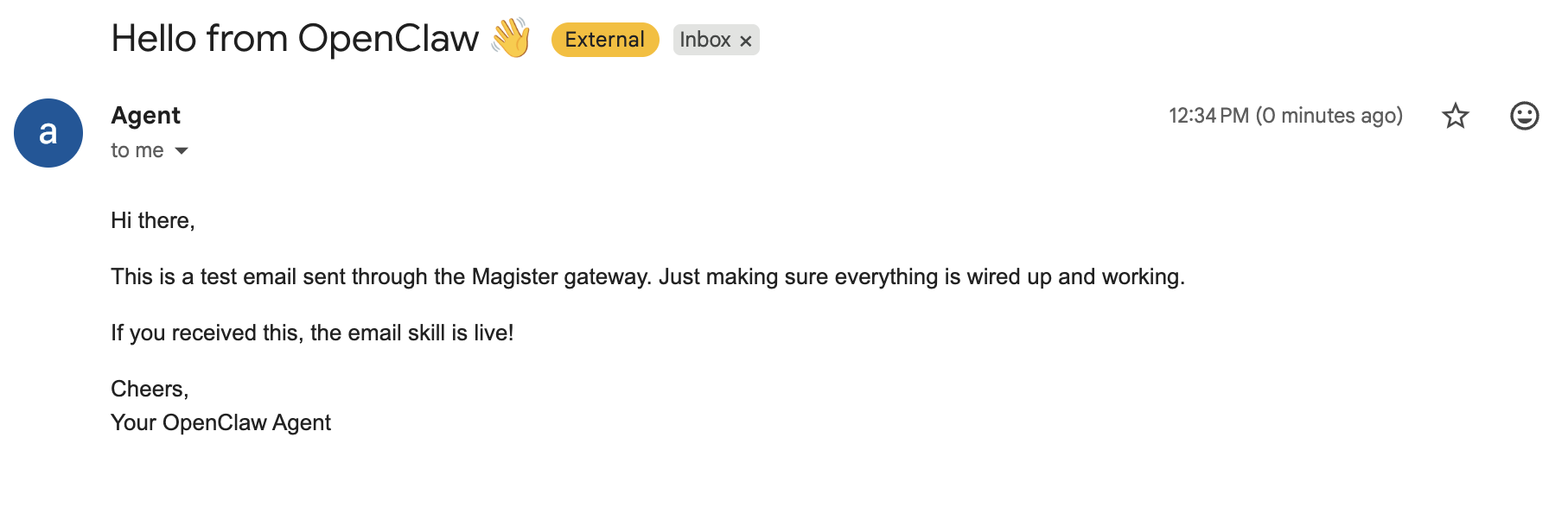
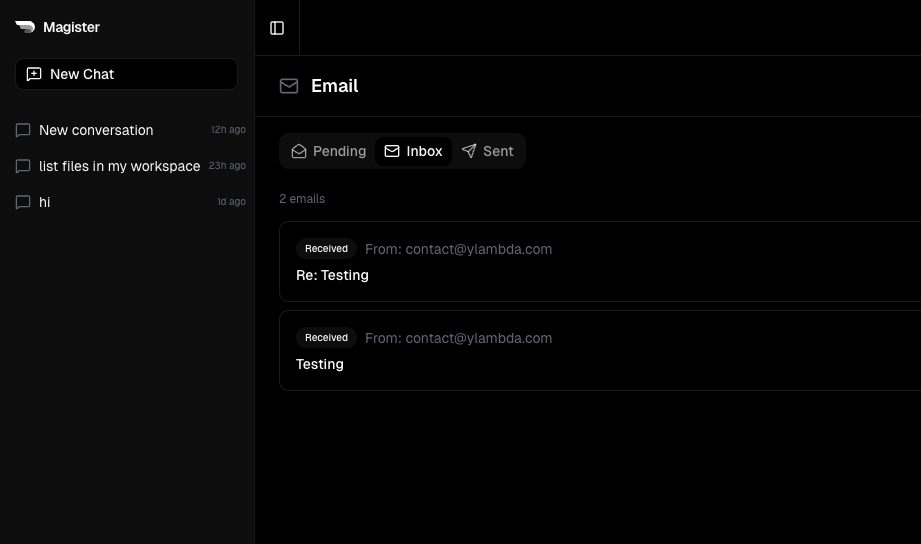
Every Magister agent now gets its own email address. It can send and receive emails autonomously — no forwarding, no API keys, no setup.
Email is still how most tools communicate. Alerts, reports, approvals, notifications. Giving the agent its own inbox means it can plug into workflows that would otherwise need a human checking email all day.
March 7, 2026
Skill catalog
One-click install for agent skills — no terminal, no config files.
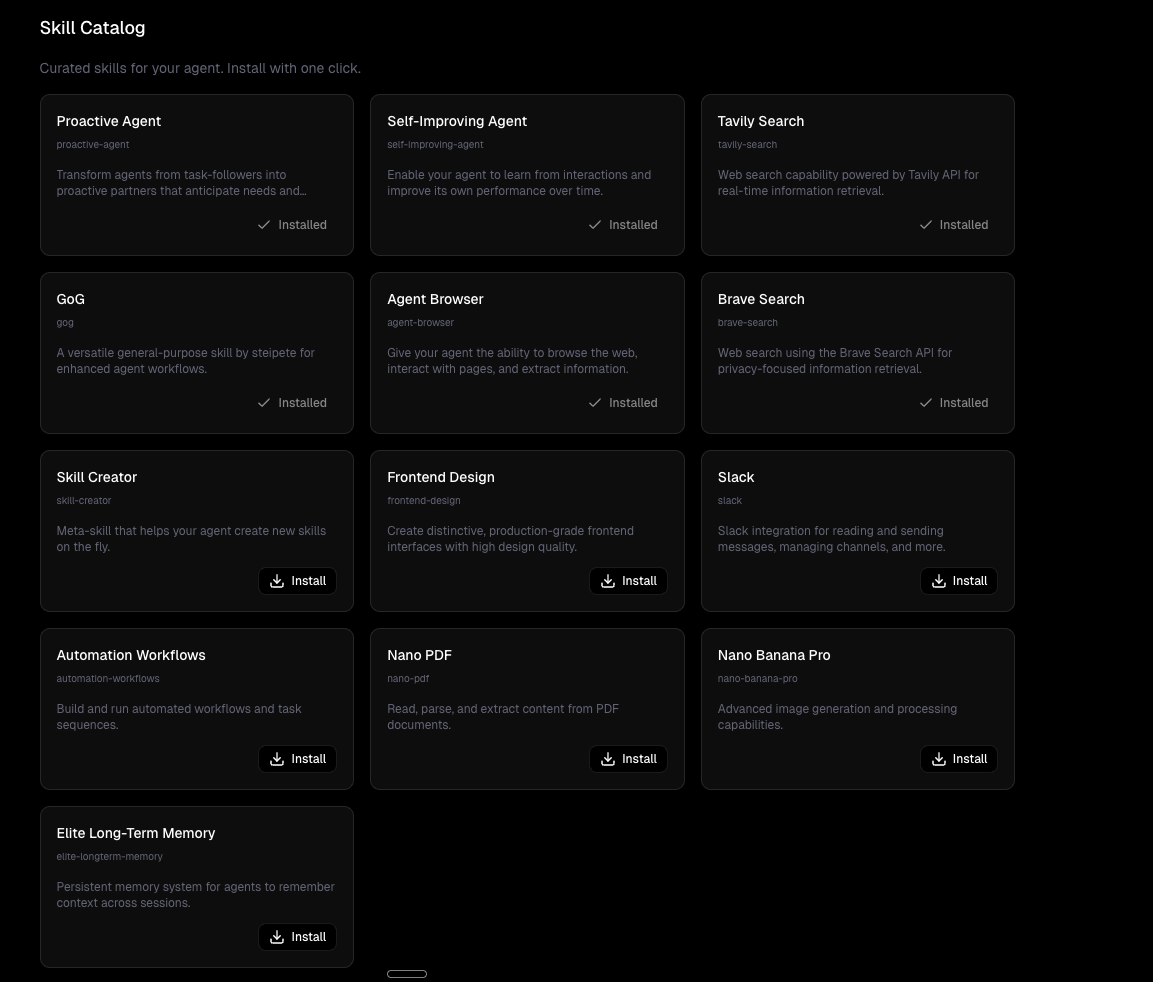
One-click install for agent skills. No terminal, no config files, no copy-pasting commands.
Browse the catalog, hit install, done. Your agent immediately gets new capabilities — web search, browser control, frontend design, long-term memory, workflow automation, and more.
March 6, 2026
Chrome extension
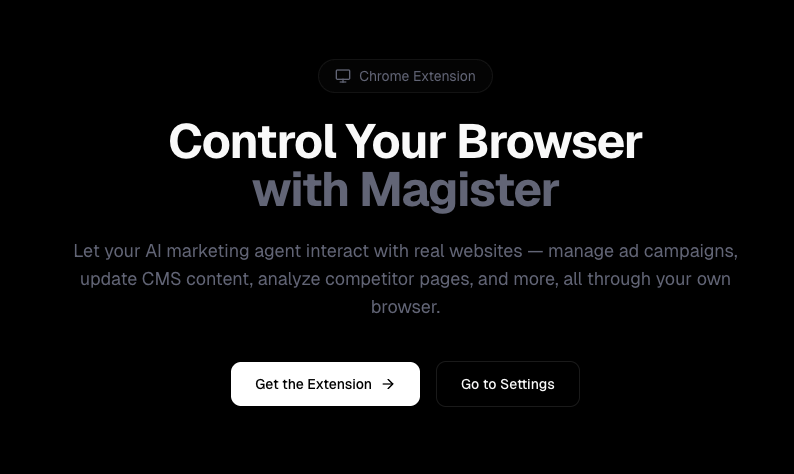
Let Magister control your browser — navigate, click, and extract data from real websites.
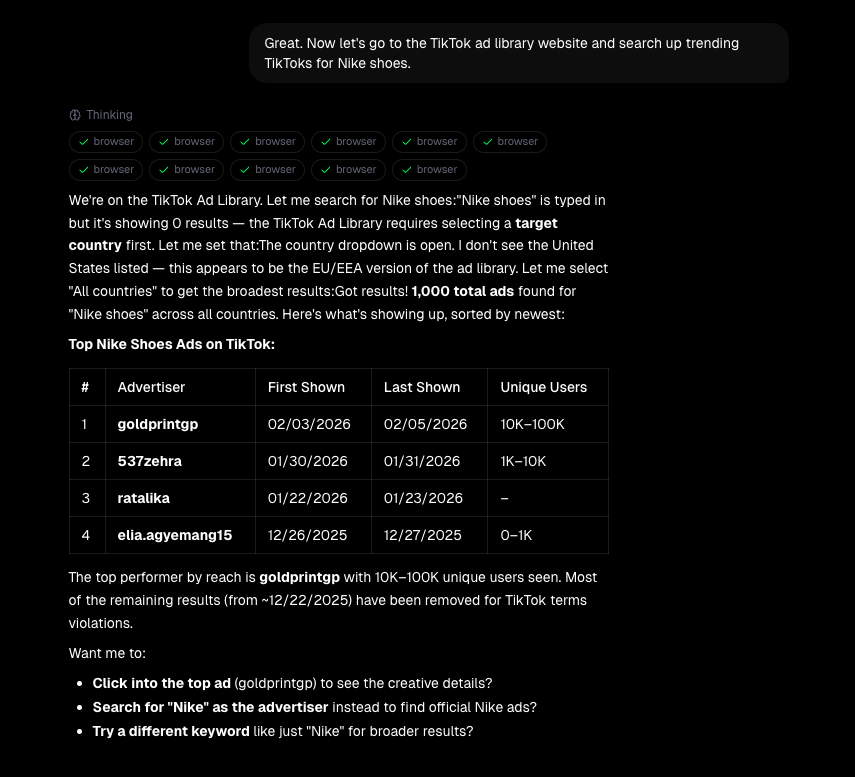
Some things are just easier to do in a browser. Ad libraries, CMS dashboards, analytics platforms — not everything has an API.
So we built a Chrome extension that lets Magister control your browser. Tell it what to do and watch it navigate, click, search, and extract data from real websites.
March 4, 2026
It's alive.
We have a working MVP — Magister is connected and running in Slack.
We've been heads-down building for the past couple weeks, and Magister is now connected and running in our own Slack.
Right now we're testing rigorously — making sure Magister is reliable, fast, and actually useful before we open it up. Not "demo useful" but ship-real-marketing-work useful.